
With Cheetu AI Summary, you can instantly generate a structured summary that matches your needs. Based on the type of your transcript (for example: telesales/call-center conversations, cross-border meetings, online/offline lectures, or media interviews), it can automatically extract key points and action items, turning long transcripts into clear, concise summaries.
Summarize During Transcription
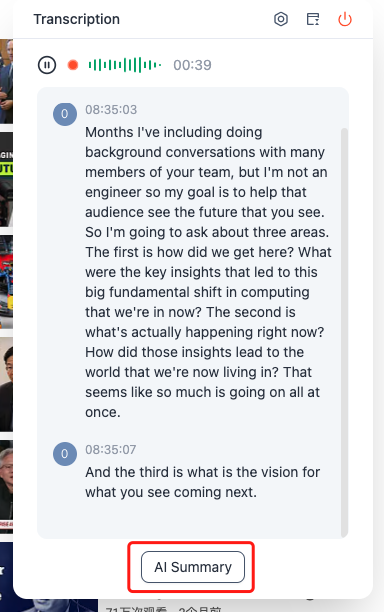
During real-time transcription, you can generate a summary from the content that has already been transcribed.
Click AI Summary.
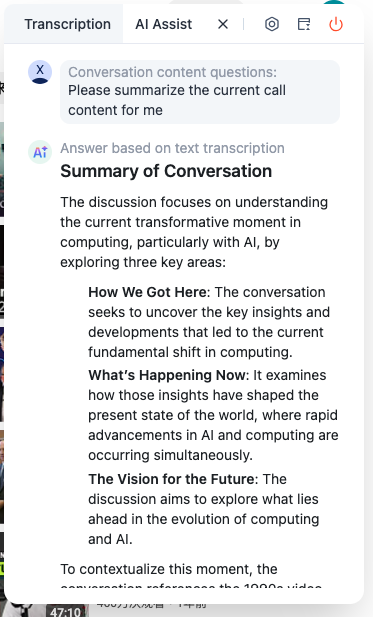
In the AI Assist window, open the corresponding tab to view the summary.
Summarize After Transcription
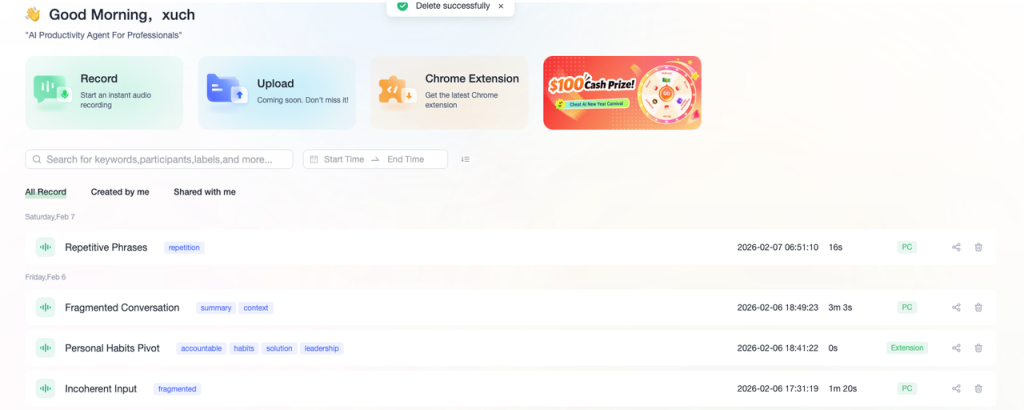
After transcription ends, you can find the corresponding transcription record in Home on the PC web version.
Go to Home and locate the transcription record.
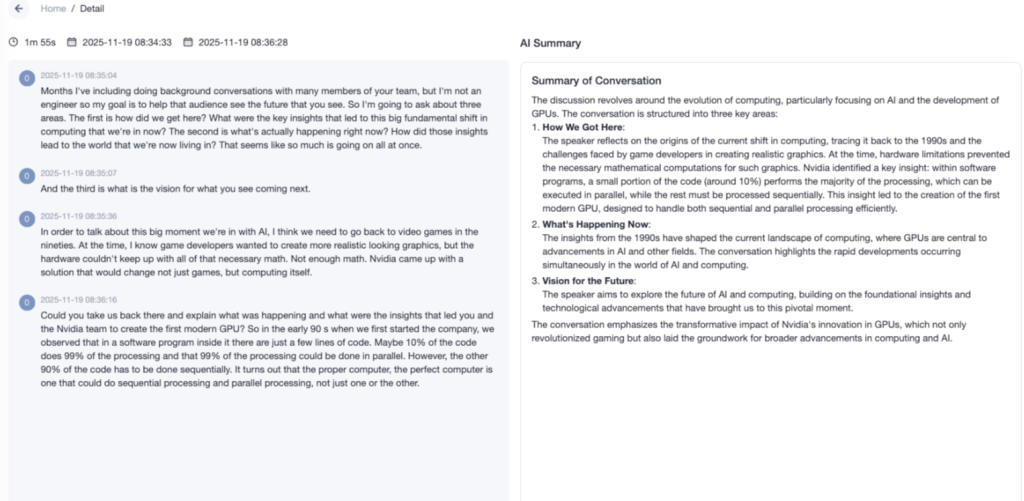
Click the transcription to enter the details page.View the AI Summary in the transcription details.
No responses yet